Get your CRM migration right and start again on solid foundations

Changing CRM is a rare chance to overhaul your data, processes and organization. We help you secure this transition to build a CRM that is simpler, more reliable and adopted by your teams for the long term. SMBs, mid-sized companies or large enterprises: the method is the same, only the scale of the project changes.

Talk to an expert See the case study
HubSpot Elite Partner
800+ clients supported
10+ years of HubSpot expertise
Challenges

A migration is won upfront.
Not on cutover day.

A CRM migration is not just a tool change. It affects data quality, business processes, team habits and the company's ability to steer its activity. The best projects are not necessarily the fastest, but the ones that take the time to make the right trade-offs before cutover. Four challenges come up in every project we support.

CRM migration expert

Make data reliable before migrating it

The quality of the future CRM depends directly on the quality of the data carried over. A migration is the chance to remove duplicates, archive information that is no longer useful, restructure the data model and start again on a reliable repository. This groundwork improves reporting quality, limits operational errors and makes the CRM easier to administer over the long term.


What we see

The temptation is often to carry over 100% of existing data. Yet a large share is no longer used or no longer brings value. The most successful migrations favor data quality over volume.

Copernic CRM data migration experts

Guarantee business continuity

A CRM migration should not slow down marketing, sales or customer service teams. Preparing cutover scenarios, acceptance testing phases and quality checks secures the transition while keeping operations running. The goal is for users to quickly find their bearings and carry on without any major disruption.


What we see

Difficulties rarely come from go-live day. They appear when dependencies between tools, automations or integrations were not anticipated enough during project scoping.

CRM change consultant

Use the migration to simplify

Changing CRM is a unique chance to overhaul years of successive customizations. Pipelines, workflows, properties, objects and automations must be reassessed against how the company works today. The goal is not to rebuild the old CRM in a new tool, but to design a simpler, more coherent and more scalable environment.


What we see

Companies that copy their old way of working identically quickly run into the same problems. Conversely, those that use the migration to simplify their processes gain efficiency and agility for the long term.

Customer data migration expert

Support teams for the long term

A migration's success is measured several months after go-live. Users must understand the new processes, easily find the information they need and adopt new working habits. Change management, training and documentation play an essential role in turning a technical success into an operational one.


What we see

The smoothest projects are those where users are involved from the first design phases. Their field knowledge helps spot points of attention and drives much faster adoption of the new CRM.

Why is a CRM migration much more than a tool change?

A CRM migration means transferring data, processes and usage from one system to another while guaranteeing business continuity. For Copernic, a successful migration is above all a chance to build a CRM that is simpler, more reliable and more scalable than the one it replaces.

Copernic is one of the few HubSpot partners holding the official Data Migration accreditation. This recognition validates our ability to run complex migration projects, secure data migration and support companies through their CRM changes.

A migration is not about moving history from one tool to another. It is the chance to make data reliable, simplify processes and prepare a CRM able to support the company's growth for the long term.


 Data Migration accreditation
  CRM governance
 Data quality
 Change management

Leave Salesforce. Without losing a quarter.

Every migration is a chance to build a CRM that is simpler, more reliable and more scalable. Let's talk about your project to identify the best options to structure your data, simplify your processes and prepare a transition suited to your business challenges.

Our vision

Data gets transferred.
Habits get rebuilt.

At Copernic, we believe a CRM is never an end in itself. It is the translation of a strategy, processes and operating rules defined upfront. Without this structure, even the best platform delivers only part of the expected value.

Our approach rests on three inseparable dimensions: strategic and organizational consulting, operational excellence on HubSpot and mastery of data and interoperability. Their combination is what builds an organization able to sustain sales performance over time.

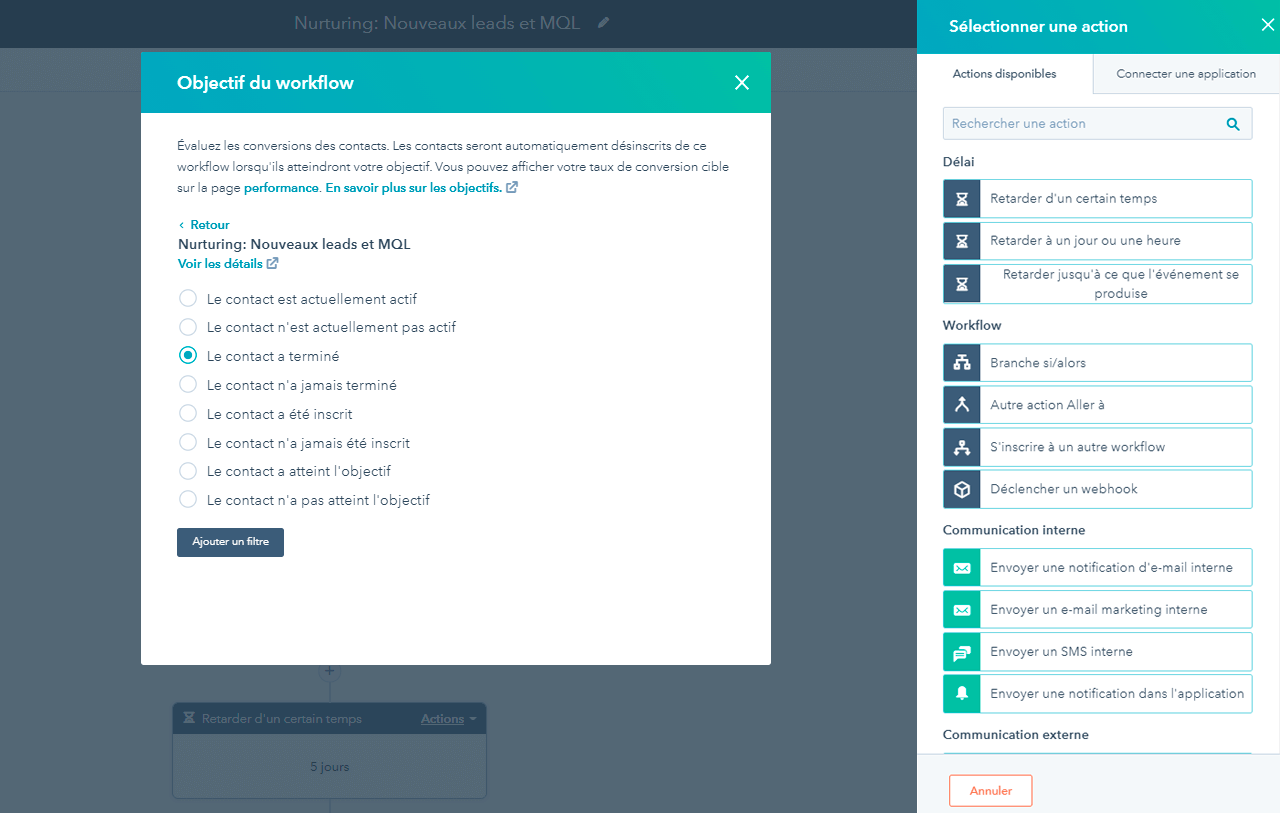
Lead nurturing automation

Consulting before technology

We never start a project with imports or development. We first seek to understand how your company works, what users expect and what the migration aims to achieve. This consulting phase builds a CRM that fits your organization, rather than fitting your organization to a tool's limits.

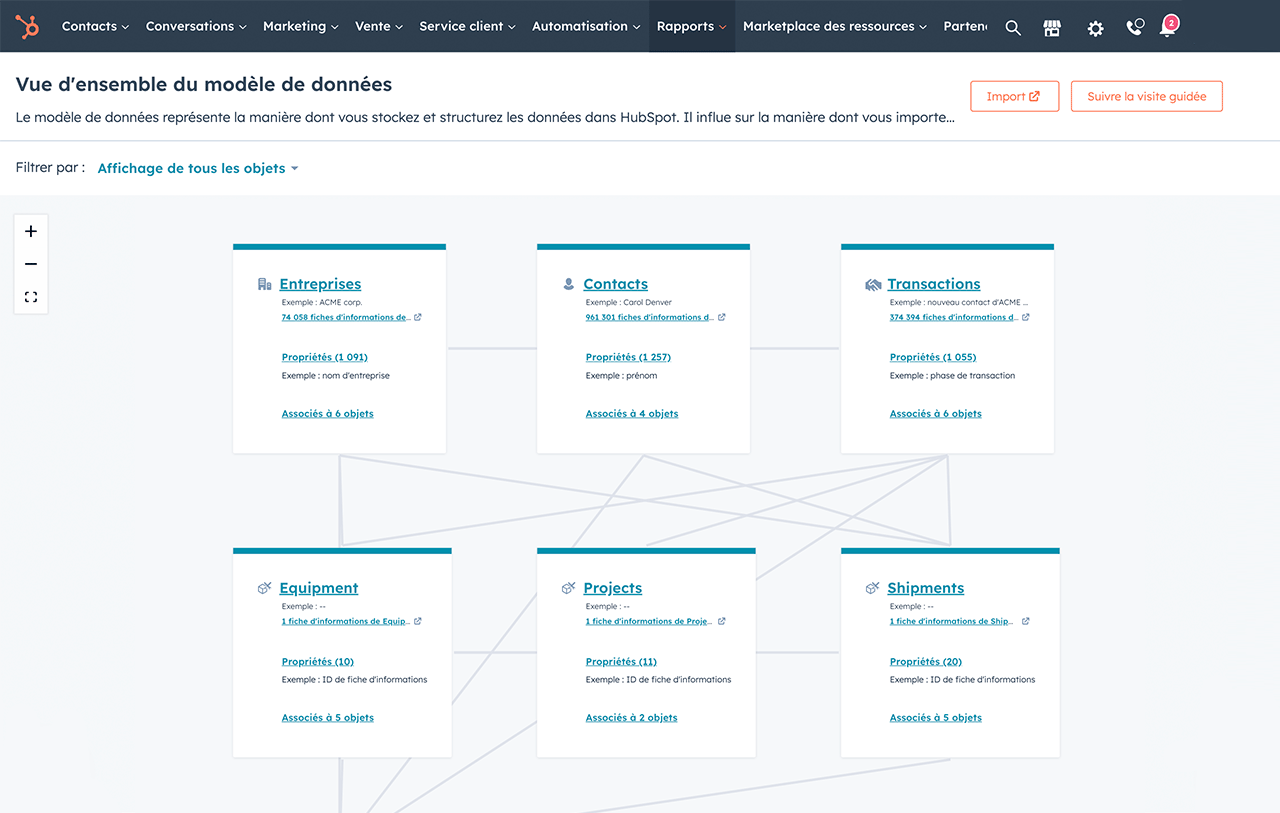
HubSpot data model

HubSpot as a platform for growth

Migrating to HubSpot is not just about replacing an existing CRM. It is the chance to bring marketing, sales and customer service data back together on a shared platform able to evolve with the company. With its data model, CRM objects, automations and integration capabilities, HubSpot becomes a lasting foundation to support your growth.

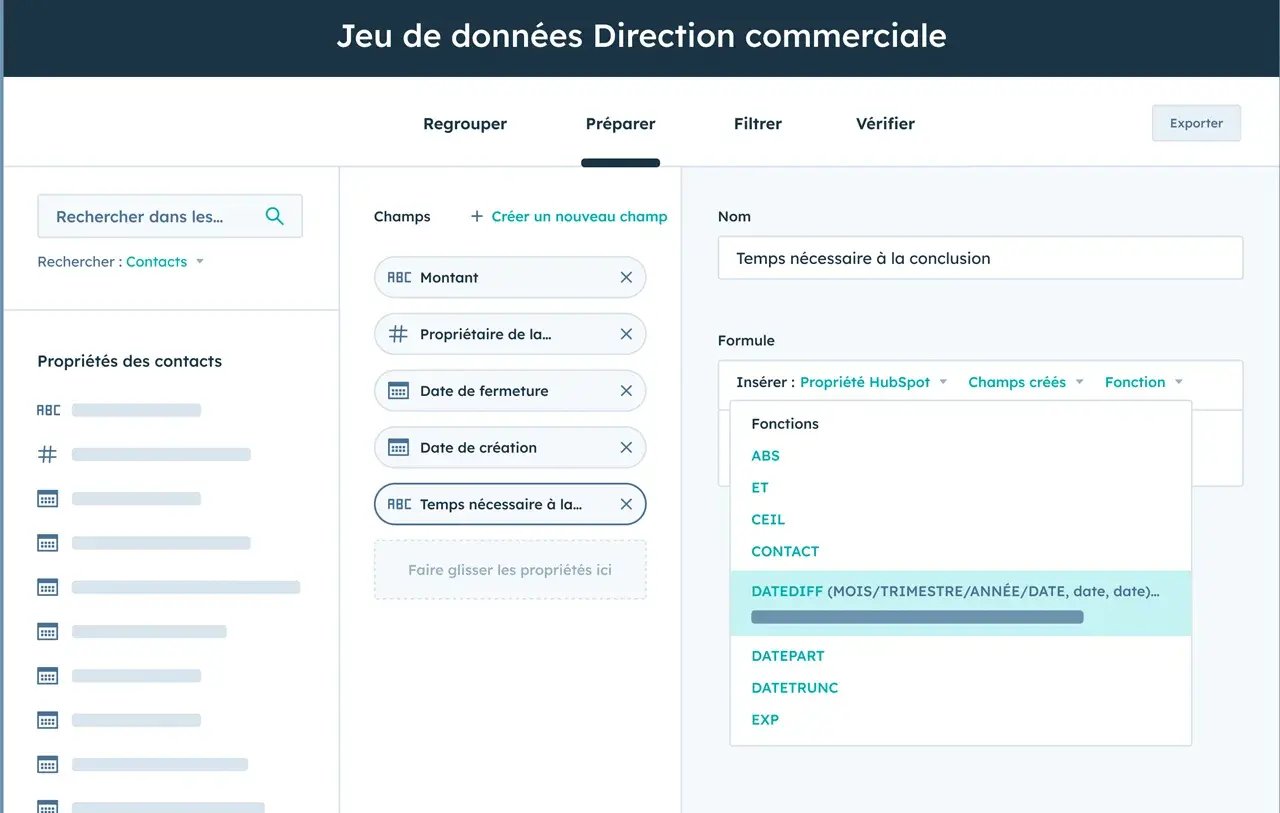
HubSpot sales data

Data as a company asset

Data represents years of customer relationships, sales activity and business knowledge. Its value depends less on its volume than on its quality and governance. That is why we always favor an approach that simplifies, cleans and structures data before it is carried over, to build a more reliable CRM from day one.

Our method

Every record checked.
Nothing lost at go-live.

Every CRM migration has its specifics, but the most successful projects follow the same logic: understand before transforming, simplify before migrating and support teams after rollout. This method, proven on 800+ projects, secures every stage and builds a lasting CRM.

01

Understand · Think

Audit

We start by analyzing your CRM environment: data quality, business processes, integrations, platform customization and team usage. This audit defines the project scope, identifies risks and builds a migration scenario suited to your organization.

02

Model · Think

Design

We then define the target model: CRM object structure, properties, associations, pipelines, automations and business rules. Every decision aims to simplify CRM administration and prepare future changes, without reproducing the limits of the old environment.

03

Implement · Build

Migrate

Data is cleaned, transformed and then carried over into HubSpot according to rules defined upfront. Every import is checked, processes are tested and integrations validated before go-live to guarantee business continuity and data reliability.

04

Steer · Run

Support

Migration does not stop at go-live. We train users, track platform adoption and make the adjustments needed so the CRM is fully used and keeps evolving with the company's needs.

Approach & method

From scoping to support.
No data left behind.

A CRM migration is more than a data transfer. It brings governance, processes, integrations and teams together around a shared goal: building a CRM able to support the company's development for the long term. At Copernic, we support migrations from Salesforce, Microsoft Dynamics 365, Pipedrive, Pardot, Zendesk, Zoho CRM, Sellsy and other platforms. Our method rests on seven complementary pillars, proven on 800+ CRM projects.
Scope the project before changing tools

Every migration starts with a scoping phase. We analyze your CRM environment, business goals, processes, integrations and team usage to build a migration scenario suited to your organization.

This stage lets you: 

  • anticipate risks,
  • prioritize workstreams,
  • align the different stakeholders before the project starts.

Our recommendation: the decisions made during scoping largely determine the migration's success. The more precise this phase, the smoother the next stages.

Design a CRM built to last

A migration is the chance to design a simpler, more scalable data model.

We rethink objects, properties, associations, pipelines and business rules to build an environment consistent with how you work today and able to support your company's future changes.

Our recommendation: the highest-performing CRMs are not those with the most customizations, but those whose structure stays understandable and easy to evolve several years after go-live.

Make data reliable before carrying it over

Data quality directly shapes the quality of the future CRM. We identify duplicates, harmonize formats, restructure information and define transformation rules before imports.

This preparation makes these more reliable:

  • reporting,
  • automations
  • analyses from the launch of the new CRM. 

Our recommendation: a migration is not about keeping as much data as possible. It is about keeping the data truly useful to the business.

Simplify business processes

Pipelines, workflows, automations and business rules often evolve for years without an overall vision. The migration is a unique chance to overhaul these processes and build journeys that are simpler, more coherent and easier to maintain over time.

Our recommendation: companies that use their migration to simplify their processes cut the time spent on CRM administration for the long term and make team adoption easier.

Validate before go-live

Every migration is secured by functional and technical acceptance testing. We check imports, verify associations between objects, and test workflows, integrations and the main business scenarios to guarantee the new CRM meets expectations before go-live.

Our recommendation: thorough acceptance testing identifies the last adjustments before cutover and secures business continuity from the first days of use.

Connect your whole ecosystem

The CRM exchanges data every day with your other applications: ERP, marketing tools, telephony, finance tools, ecommerce platforms or business software.

We secure these interconnections to guarantee a smooth flow of information and avoid creating new data silos.

Our recommendation: the best projects are those where integrations are designed as a real lever for collaboration between teams, not just a technical connection between two applications.

Support teams for the long term

A migration's success is measured several months after go-live. We support users through training, documentation, usage tracking and post-rollout optimizations so everyone gets the full value of the new CRM.

Our recommendation: organizations that involve their users from the first project phases get faster adoption, better data quality and a calmer evolution of their CRM.

Brice Germain, junior partner at Copernic, in a client workshop
A tool that is adopted.
Not just installed.
Brice Germain · Junior partner, business and process expert
Case study

How Opale Capital migrated from Salesforce to HubSpot in just a few weeks

Beyond the tool change, this project helped Opale Capital simplify its sales processes, speed up HubSpot adoption and build a higher-performing CRM to support its growth. Discover the key stages of this transformation.

 
Opale Capital logo in white
 

Migrate from Salesforce to HubSpot without slowing teams down

As part of its growth, Opale Capital wanted to replace Salesforce with HubSpot to get a CRM that was simpler to use and better suited to its sales processes. The challenge went beyond data migration: team adoption had to speed up while improving day-to-day efficiency.

Finance & Fintech CRM migration Salesforce → HubSpot

A migration designed for users

Context

The legacy CRM no longer met the sales teams' operational needs. The company was looking for a more intuitive platform able to support its growth.

Challenge

Migrate all data and processes to HubSpot while ensuring fast user adoption and without interrupting business.

Intervention

Copernic supported Opale Capital in scoping the project, designing the target CRM model, migrating Salesforce data, rebuilding business processes and training the teams.

Result

Opale Capital quickly adopted its new CRM platform while improving its sales teams' efficiency. The project simplified usage, sped up prospecting and ensured a smooth transition to the new environment.

See the Opale Capital case study →

What clients say

Their old CRM is far behind.
Their history, intact.

Salesforce to HubSpot in under 3 months

“The Copernic team had to scope and migrate our CRM from SF to HubSpot in an unmovable timeframe of under 3 months, which was a tour de force. Their teams' expertise in migrating CRMs to HubSpot is undeniable, as is their responsiveness.”
J. BérilHomunity · Real estate

A big migration project, well handled

“We had a big CRM migration project that COPERNIC handled efficiently! They were professional, flexible and available throughout the project.”
C. Da Silva CostaWekiwi SAS · Energy

From Sellsy to HubSpot, teams trained

“We called on Copernic for a migration from the Sellsy CRM to HubSpot, and to support the training of our Marketing and Sales teams on the new tool. The transition happened gradually, and we are very satisfied with it today.”
P. LazergesMon Suivi Logement · B2B services

Scroll →

Reviews translated from French.

Artificial intelligence

AI checks and documents.
Your teams decide.

Artificial intelligence replaces neither the preparation of a migration project nor the business trade-offs that come with it. It does, however, speed up many analysis, checking and documentation tasks that traditionally take up a large share of the project. Built into a well-structured CRM, it lets teams save time, make more reliable decisions and secure every stage of the migration.

AI for marketing production
01

Analyze data quality

Before any migration, AI can identify duplicates, inconsistent fields, incomplete information or rarely used data. This first analysis focuses efforts on the data that is truly useful and improves the quality of the future CRM before the very first import.

02

Ease team adoption

Once the migration is done, AI supports users in their new ways of working. Automatic interaction summaries, entry assistance, contextual recommendations or content generation help teams gain efficiency while getting to grips with the new environment faster.

03

Speed up acceptance testing

Validation phases are an essential stage of a CRM migration. AI helps detect anomalies, compare data between the old and new CRM and spot faster the gaps that need fixing before go-live.

04

Document existing processes

Workflows, pipelines and automations are often poorly documented. AI makes them easier to analyze by summarizing how they work, highlighting dependencies between objects and helping teams identify the processes worth simplifying or rebuilding.

HubSpot

A clean database on day one.
And it stays that way.

Migrating to HubSpot is not just about replacing an existing CRM. The platform lets you rethink the data model, simplify processes and reconnect the different functions around a single source of information. With its architecture, automation capabilities and governance tools, HubSpot supports companies well beyond the migration and gives them a CRM able to evolve with their needs.

Architecture

Build a scalable CRM

A migration is the chance to start again on a clearer architecture. HubSpot lets you structure CRM objects, properties, associations and pipelines to create an environment that is easy to administer and able to support the company's growth without piling up custom development.

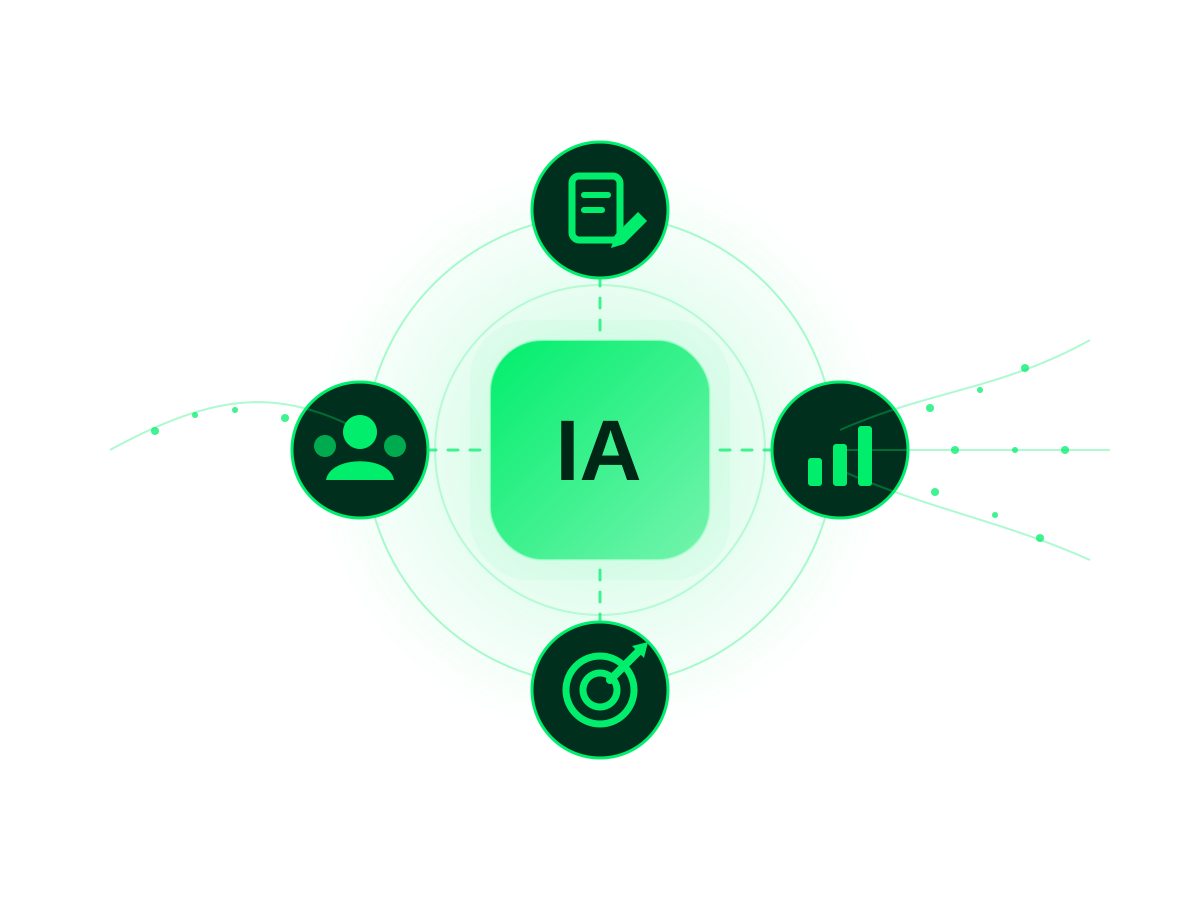
AI built into HubSpot

HubSpot AI agents make data easier to structure and assist teams in creating new objects or properties. They speed up design phases while limiting inconsistencies in the CRM model.

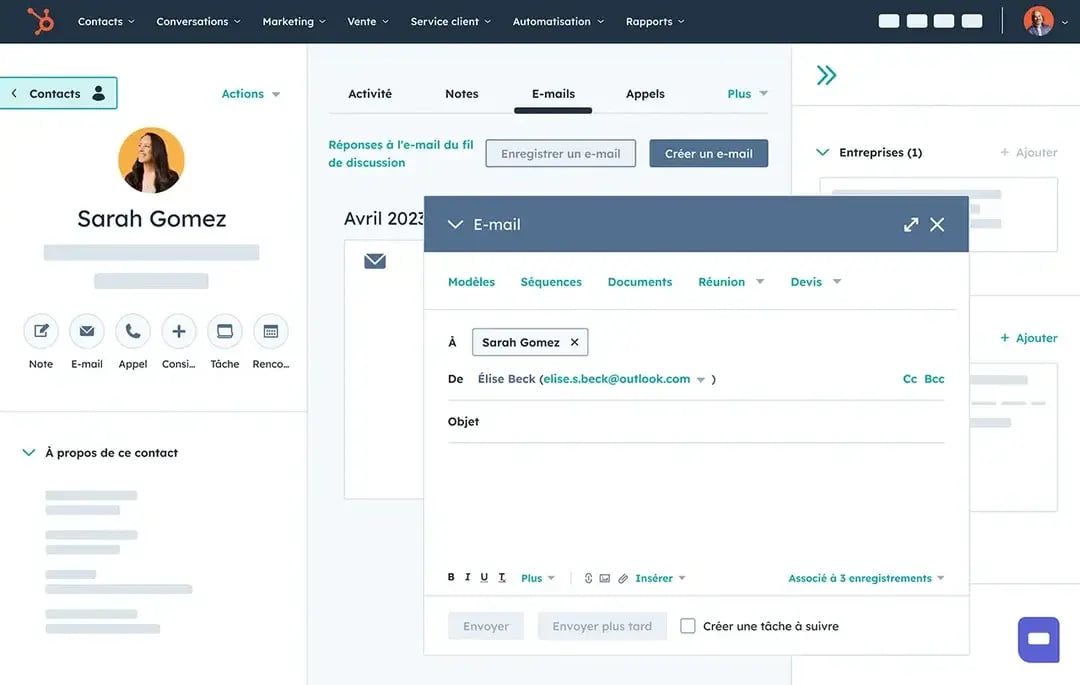
HubSpot contact management
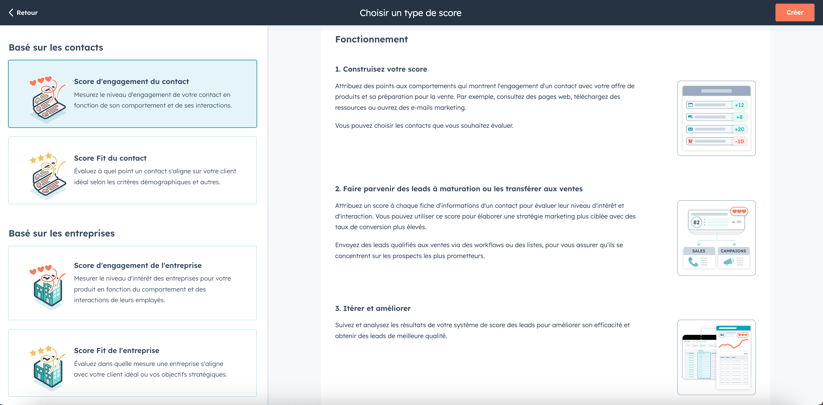
Lead scoring
Governance

Make data reliable for the long term

Data quality directly shapes reporting, automations and the decisions teams make. HubSpot offers dedicated tools to detect duplicates, check properties and keep a reliable repository over time, long after the migration.

AI built into HubSpot

Breeze Intelligence automatically enriches data and helps identify incomplete or inconsistent information to improve the CRM's overall quality.

Automation

Simplify business processes

Migration is often the chance to rebuild workflows and automations piled up over the years. HubSpot lets you design processes that are clearer, more effective and easier to evolve thanks to centralized automation logic.

AI built into HubSpot

HubSpot AI supports the creation and optimization of workflows by suggesting automations suited to business goals and helping teams cut repetitive tasks.

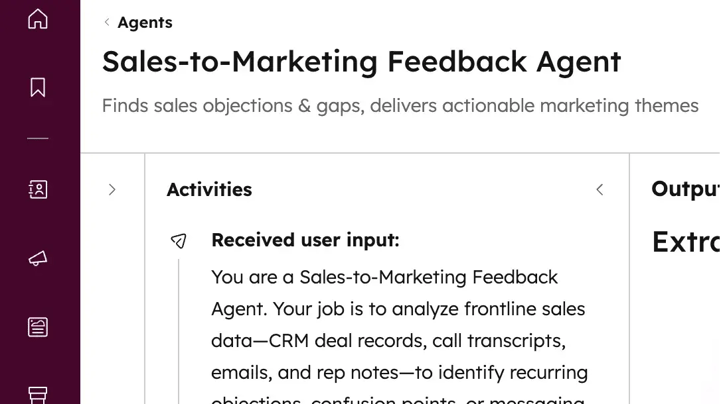
Sales to Marketing Feedback Agent
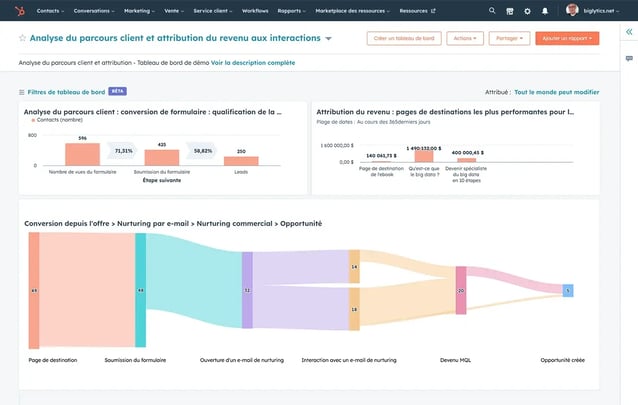
HubSpot Marketing Hub reporting
Steering

Check migration quality

Rolling out a new CRM does not stop at go-live. HubSpot lets you track team adoption, data quality and process performance through custom dashboards and analyses tailored to each function.

AI built into HubSpot

HubSpot AI analyzes CRM usage, highlights anomalies and makes recommendations to keep improving platform performance after the migration.

Copernic in numbers

Ten years of HubSpot migrations.
No two alike.

For 10+ years, we have supported companies in their CRM projects, from structuring data to the most complex migrations. Our expertise is recognized by HubSpot and rests on a method proven with organizations of every size.

800+clients supported
1,200HubSpot hubs implemented
130HubSpot certifications
4HubSpot accreditations

Key takeaways

Change tools.
Without copying the old CRM.

A successful CRM migration means transferring data, processes and usage to a new platform without interrupting business. It should also simplify the organization, make the data model reliable and build a more lasting CRM.

At Copernic, we do not try to copy the old CRM into a new tool. We use the migration to challenge what exists, secure data migration and design an environment that is simpler, more reliable and better adopted.

  • Scope the project and its dependencies
  • Clean data before carrying it over
  • Rethink the target CRM model
  • Simplify business processes
  • Test data and automations
  • Support teams after go-live

FAQ: the most common questions about CRM migration

How long does a CRM migration take?

Allow 6 to 10 weeks for a simple migration, and usually 3 to 6 months for a complex one. A migration becomes complex when data volumes are large, objects and integrations are numerous, or several teams or entities are involved. The key is to plan a thorough scoping phase to limit risks at go-live.

How do you succeed with a CRM migration?

A successful CRM migration is not just about transferring data from one tool to another. It rests on a structured method: auditing the current setup, defining a target data model, cleaning information, rebuilding business processes, validating data and supporting users. This preparation is what guarantees a reliable, lasting CRM.

Can you migrate from Salesforce to HubSpot?

Yes. HubSpot can take over contacts, companies, deals, activities, files and most custom objects from Salesforce. Depending on how customized your environment is, some automations or custom development will need to be rethought rather than copied as is.

Can you migrate from Microsoft Dynamics, Pipedrive, Zoho or Sellsy?

Yes. HubSpot can be fed from most CRMs on the market. Each migration, however, requires a prior analysis to identify the data to carry over, the processes to rebuild and any adjustments linked to the source platform's specifics.

Should you carry over all the data from your old CRM?

In most projects, the answer is no. A migration is the chance to remove obsolete data, duplicates and information that is no longer useful. Keeping only the data actually used improves CRM performance and makes adoption easier.

How do you avoid losing data during a CRM migration?

Securing data rests on several steps: mapping information, backing up existing databases, cleaning, migration tests, quality checks and business validation before go-live. A well-prepared migration greatly limits the risk of losing or corrupting data.

How much does a CRM migration cost?

Cost depends mainly on the number of objects to migrate, data volume, integrations, automations and the level of support expected. A scoping audit usually lets you assess the project scope precisely and build a suitable budget.

Why work with a consulting firm to migrate your CRM?

A CRM migration commits sales, marketing and customer service teams for the long term. A consulting firm brings a proven method, secures data migration, challenges existing processes and supports users so the new CRM is adopted quickly and creates value from day one.

Your CRM is ready. Make it sell.

Changing CRM is a strategic decision with a lasting impact on your teams, data and processes. Our consultants support you at every stage, from scoping to go-live, to build a reliable, scalable CRM your users adopt.