HubSpot integration: one single version of the customer truth

Double entry between the ERP and the CRM, duplicates, figures that never match from one tool to the next? Copernic connects HubSpot to your ERP, your business applications, your telephony and your BI tools with reliable, documented and governed integrations, so every team works on the same data. For mid-sized companies and large enterprises, we document every flow for the IT department.

Talk to an expert See the case study
HubSpot Elite Partner
Solutions Architecture Design accreditation
800+ clients supported
Callback within one business day
Our expertise

Stacking connectors weakens.
Designing the architecture strengthens.

A HubSpot integration is not just about connecting two pieces of software. It means understanding your information system, organizing exchanges between applications and making sure each piece of data is created, enriched and used in the right place. Our support covers every dimension needed to build an architecture that is reliable, scalable and fit for your business challenges.

HubSpot integration experts
01. Architecture

Design a lasting interoperability architecture

A HubSpot integration is more than linking two applications. We design an architecture where each tool keeps its role, exchanges the right information and fits into your information system for the long run. This approach keeps flows scalable, limits technical dependencies and makes it easier to add new tools.


What we see

Companies pile up connectors without ever building a real architecture.

Information system connection expert
02. Ecosystem

Connect HubSpot to your business tools

ERP, CRM, telephony, e-commerce, customer support, finance or in-house applications: we integrate HubSpot with your whole application ecosystem to eliminate double entry, streamline processes and keep data flowing reliably between teams. 


What we see

Users often make up for integration gaps with Excel files or manual workarounds.

Data synchronization expert
03. Governance

Make data and synchronizations reliable

A high-performing integration rests on clear data governance. We define the sources of truth, synchronization rules, quality checks and error handling so data stays consistent across the whole information system.


What we see

Most synchronization errors come from poor data governance, not from the APIs.

CRM architecture and HubSpot integration expert
04. Scalability

Build a platform that can evolve

Your information system will evolve with your organization. We favor integrations that are documented, maintainable and scalable, so you can connect new tools, new processes and new uses without calling the existing architecture into question.


What we see

The most expensive integrations are the ones that must be rebuilt from scratch every time the information system changes.

How do you get a HubSpot integration with your business tools right?

HubSpot integration means making the CRM talk to every application in your information system: ERP, CRM, telephony, e-commerce platform, support tool, finance software or business application. The goal is to move the right data, at the right time, between the right tools, so you eliminate double entry, make processes reliable and improve collaboration between teams.

Yet a HubSpot integration is neither just installing a connector nor just developing an API. Without thinking through the flow architecture, the responsibilities of each application and data governance, synchronizations quickly breed duplicates, errors and complexity. Technology is only a means. It never replaces a consistent architecture.

That is why we approach every project through interoperability. We identify the role of each application, decide where each piece of data should be created and maintained, then design an architecture that can evolve with your organization. Technical integration then becomes the logical result of a well-designed information system, not a string of independent connections.


  IS architecture
  Interoperability
 Data governance
 APIs & connectors

Double entry every day? Data that flows on its own.

Linking two applications is easy. Building an architecture that is reliable, scalable and aligned with your business processes takes real thinking about flows, responsibilities and data governance.

Our vision

Linking two tools is easy.
Making it last takes design.

Linking two applications is fairly simple today. Designing an architecture that can evolve with your organization, guarantee data quality and support your business processes is a far greater challenge. That is why we approach every integration project from three complementary angles: consulting, data and technology.

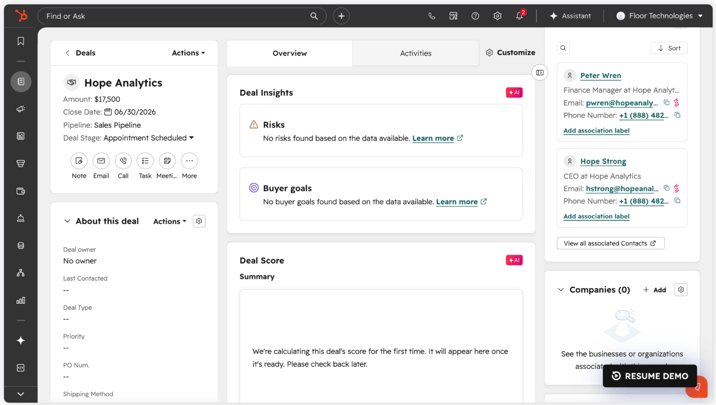
HubSpot Revenue Hub
Consulting

Strategy & organization

Goal: Design an architecture that answers your business challenges before it answers technical constraints.

What we do: We analyze your organization, your processes and your information system to define the role of each application, team responsibilities and the data flows that will support your business for the long run.

Our conviction: A bad architecture is never fixed with more technology.

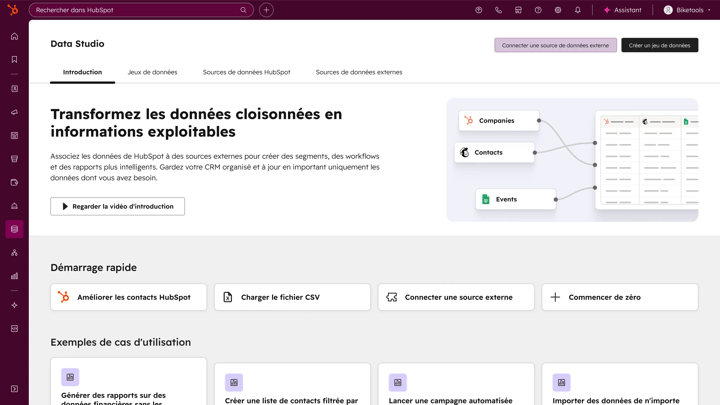
Data Hub - Data Studio
Data

Architecture & interoperability

Goal: Guarantee data that is reliable, consistent and usable across your whole information system.

What we do: We define the sources of truth, governance rules, synchronization mechanisms and the checks needed to keep data quality high between HubSpot and your business tools.

Our conviction: Synchronized data is not necessarily reliable data. It must be governed first.

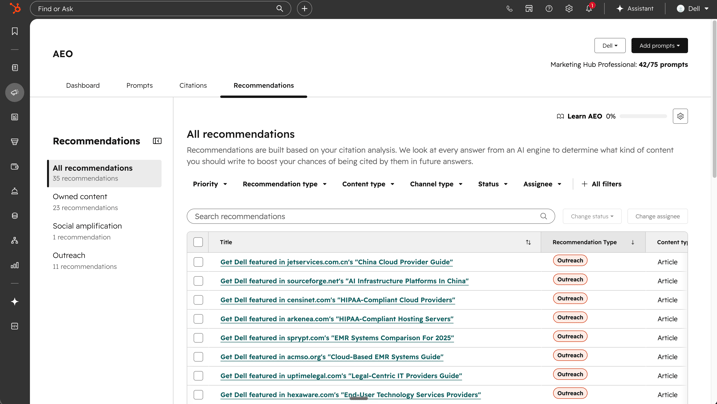
AEO - categories - HubSpot
Technology

HubSpot & execution

Goal: Build integrations that are robust, scalable and easy to maintain.

What we do: We choose the technology best suited to your context: native connectors, APIs, middleware or custom development, always looking for the best balance between simplicity, performance and scalability.

Our conviction: The best technology choice is rarely the most complex one. It is the one that will still make sense in five years.

Our method

We map before we connect.
You approve every flow.

A HubSpot integration does not stop at go-live. Our method makes sure every step, from scoping to adoption, helps build an information system that is consistent, documented and able to evolve with your organization.

01

Understand · Think

Understand the existing setup

We analyze your architecture, applications, processes and data flows to identify dependencies, friction points and opportunities for improvement.

02

Design · Think

Design the target architecture

We define each application's responsibilities, the synchronization flows, the governance rules and the technical choices that will structure your information system for the long run.

03

Implement · Build

Implement and secure

We configure, develop and test the integrations before go-live to guarantee their reliability, their performance and their fit with business needs.

04

Support · Run

Support you over time

We document the integrations, train the teams and support the changes to your architecture so your information system keeps creating value over time.

Approach & method

One piece of data, one system of record.
Synchronizations without conflict.

A successful HubSpot integration does not depend only on the technology used. It rests on a detailed understanding of your information system, your business processes and how your teams work. Our method aims to build integrations that are easy to maintain, scalable over time and able to support your organization's growth, without piling up custom development or complicating your architecture.

Understand your information system

We start by analyzing your existing architecture, the applications in place, the data exchanges and the processes that connect them. This phase lets us identify dependencies, friction points and simplification opportunities before any technical decision.

Our recommendation: understand usage before choosing technologies.

IS architecture
Business applications
Mapping

Define data governance

Reliable data always has an owner. We identify the source of truth for each piece of information, the related responsibilities and the synchronization rules, to avoid inconsistencies between HubSpot and your other applications.

Our recommendation: each piece of data should have only one system of record.

Source of truth
Governance
Quality

Design the synchronization flows

Each flow meets a specific business need. We define the data to synchronize, its update frequency, its direction and the processing required, so exchanges between your applications stay consistent.

Our recommendation: every synchronization must serve a clearly identified use.

Business flows
Synchronization
Mapping

Choose the right integration strategy

Not every integration needs custom development. Depending on your context, we favor a native HubSpot connector, an API, middleware or an iPaaS platform to strike the best balance between simplicity, scalability and maintenance.

Our recommendation: choose the simplest option that can meet the need for the long run.

API
Middleware
Connectors

Validate and secure the integrations

Before any go-live, we organize functional and technical acceptance testing of the integrations. We check business use cases, synchronization rules, performance, error handling and recovery scenarios to make sure every flow works under real operating conditions. This step secures the rollout and makes adoption easier for teams.

Our recommendation: involve business users in acceptance testing, not only technical teams.

Acceptance testing
Tests
Security

Monitor and evolve the exchanges

An integration does not stop at go-live. We set up the monitoring tools, alerts, checks and documentation needed to keep flows running for the long term and support changes to your information system.

Our recommendation: an integration should still be understandable years after it was built.

Monitoring
Documentation
Maintenance

Support your teams for the long run

The best integrations are the ones users stop noticing. We help your teams adopt the new processes, document how tools are used and keep improving, so your information system remains a performance lever, not a technical constraint.

Our recommendation: evolve usage at the same pace as the tools.

Adoption
Training
Continuous improvement
Deliverables

The connector goes live.
The documentation stays with you.

Our support leaves you with much more than a working integration: a documented architecture, shared governance rules and a clear view of your data flows.

IS map

A complete view of applications and how they interact

Target
architecture

Diagram of flows and application responsibilities

Data
mapping

Correspondence of objects, properties and business rules.

Flow documentation

Description of synchronizations and processing.

Technical specifications

Documentation of development work and APIs.

Testing
strategy

Validation plan for data exchanges.

Operations documentation

A reference for technical and business teams.

Road
map

Prioritized changes and next integrations.

Case study

How an interoperability architecture connected an ERP, an e-commerce site and HubSpot.

Integrating HubSpot is not just about connecting applications. It builds an information system where data flows automatically between tools, with no double entry and no broken processes. Here is how we supported Sprinter through this transformation.

 
SPRINTER

Odoo ERP, e-commerce and HubSpot connected to finally put data to work.

A fast-growing distributor that had to break down the silos between sales, logistics and e-commerce, and move its customers to self-service repeat ordering.

B2B distribution ERP integration E-commerce

An information system where data flows with no double entry.

Context

A tech stack that could no longer keep up with growth, and marketing and sales tasks still done by hand.

Challenge

Centralize sales, billing and stock data, and let customers place their repeat orders on their own.

Intervention

Sales Hub and Marketing Hub Pro, an e-commerce site with a customer portal on Content Hub Enterprise, and HubSpot connected to the Odoo ERP.

Result

Sales, billing and stock visible in HubSpot, repeat orders placed independently through the portal, automated reports.

See the Sprinter case study →

What clients say

Flows that hold.
Clients who say so.

Technical, project and support

“Mark supported us on 3 levels: technical, project management and guidance. […] The project came together so quickly thanks to him!”
S. SchadeckSoftware and SaaS

Responsive and attentive

“We are very happy with the work done with the Copernic team. They are responsive, professional and above all attentive to our expectations. Thanks to our two contacts, Brice and Bruno!”
L. MilletUBI Solutions · Software and SaaS

A successful Sales Hub integration

“Copernic supported me through our HubSpot Sales integration. I appreciated the quality of their service and advice. Camille was very professional in carrying out her work.”
E. M. FallFrance Room · Real estate

Reviews translated from French · Scroll →

Artificial intelligence

AI reads your data.
It still has to be right.

CRMs are no longer just databases or sales tracking tools. They are becoming platforms that can analyze data, assist users, recommend next actions and automate some decisions. These capabilities are only worth something if the data feeding the CRM is reliable: that is exactly what a well-designed integration is for.

AI for marketing production
01

Conversational CRM

Users no longer need to search for information by hand or build a complex report. AI assistants let them query the CRM in natural language, summarize the history of a relationship or instantly get the context of a contact, company or deal.

02

Predictive CRM

AI analyzes CRM data to identify priority deals, churn risks, buying intent or process anomalies. It helps teams make decisions faster, based on the data available rather than on gut feeling alone.

03

Autonomous CRM

New AI agents can carry out some tasks on their own: enrich a CRM record, qualify a prospect, write an email, prepare a meeting or help an advisor handle a request. The CRM is gradually moving from a management tool to a true operational assistant.

04

AI governance

How well these features work depends directly on the quality of the data that reaches the CRM. Reliable integration flows, one source of truth per piece of data and clear governance rules are essential for reliable recommendations. That is why we build them into every integration project.

HubSpot

Your tools change.
Your HubSpot foundation stays.

HubSpot is no longer just a sales CRM. Today the platform lets you structure data, automate processes, steer performance and bring artificial intelligence into the heart of day-to-day work. As a HubSpot Elite Partner, we support you in designing, rolling out and evolving your CRM platform so it remains a true growth engine.

Data

Structured data for a CRM that can grow

A CRM strategy rests above all on a robust data model. HubSpot lets you structure objects, associations and properties to build a reliable source of reference data that grows with your organization without piling up custom development.

HubSpot AI

With Breeze Intelligence, HubSpot automatically enriches your CRM data and detects missing or inconsistent information to improve the quality of your database and the reliability of your analyses.

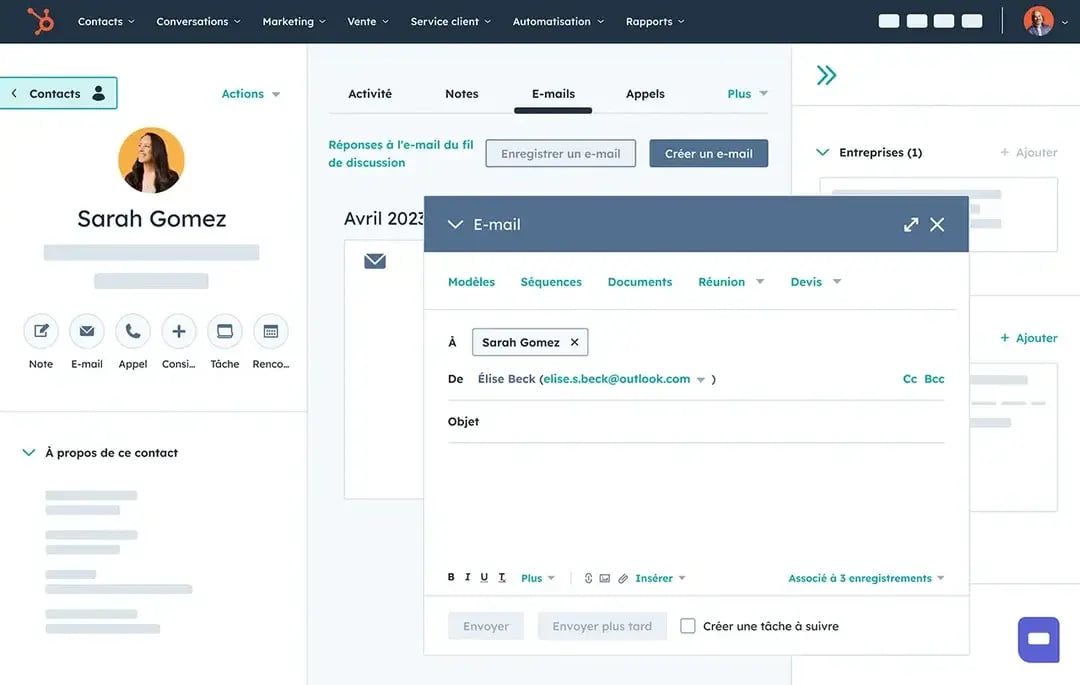
HubSpot contact management
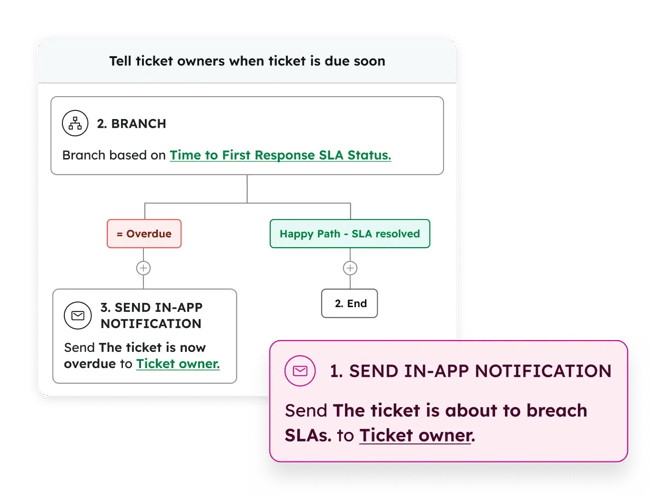
Service Hub HubSpot workflow
Processes

Industrialize business processes

HubSpot lets you model marketing, sales and customer service processes in a single platform. Workflows, pipelines and automations guarantee consistent execution while keeping the flexibility needed to handle special cases.

HubSpot AI

Breeze Assistant supports users right in their daily work. It answers questions using CRM context, summarizes records, prepares next actions and guides teams through processes, without leaving HubSpot.

Steering

Turn data into decisions

HubSpot consolidates all your marketing, sales and customer service data to produce reliable dashboards and shared KPIs. You steer your business from a single source of truth.

AI built into HubSpot

The Data Agent analyzes your CRM, identifies data anomalies, recommends corrective actions and answers your questions in natural language to speed up steering and decision-making.

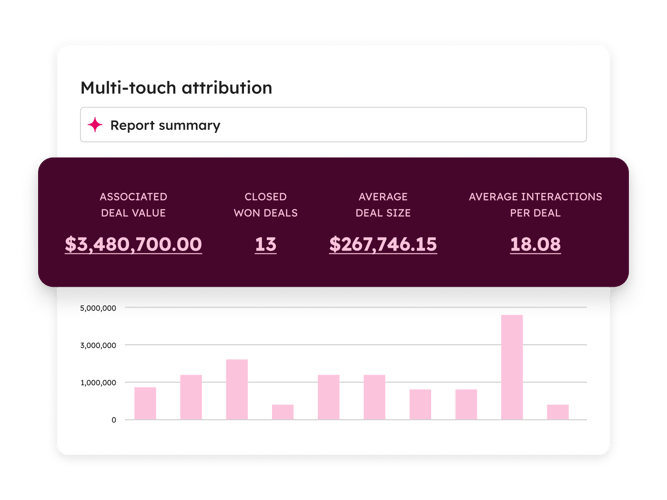
Marketing Hub HubSpot marketing attribution report
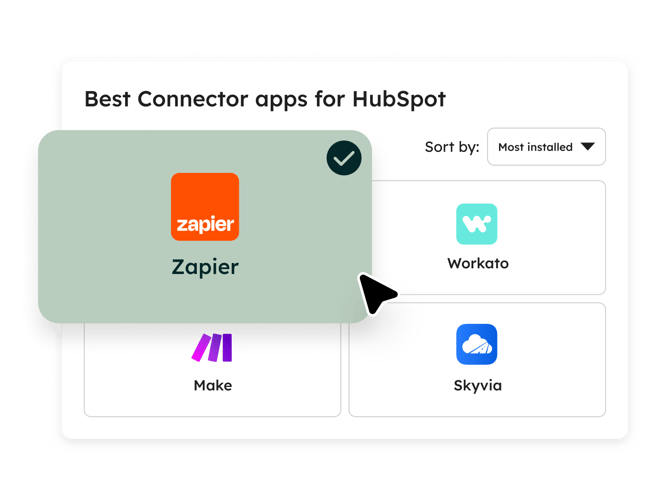
HubSpot Smart CRM tool integrations
Scalability

A platform that grows with your organization

Thanks to its open architecture, HubSpot adapts as your company grows. APIs, integrations, custom objects and automations let your CRM evolve without calling its architecture into question.

HubSpot AI

With Breeze Projects and the AI agent builder, HubSpot lets you create AI experiences tailored to your own business processes. You design assistants that use your CRM data, knowledge base and business rules to support your organization as it evolves.

Camille, HubSpot project manager at Copernic
Technology links your tools.
Architecture makes them hold.
Camille · HubSpot project manager

Key takeaway

Think the architecture.
Then plug in the tools.

A HubSpot integration connects the CRM to the applications in your information system to automate data exchanges between your teams, your processes and your business tools. A successful integration is more than linking two pieces of software: it defines the flows, the responsibilities of each application and the rules that keep data quality high over time.

At Copernic, we don't start with APIs, connectors or custom development. We start by understanding your architecture, your processes and your data governance to build lasting interoperability between HubSpot and your whole information system.

  • Design flows before connectors
  • Define the data source of truth
  • Connect HubSpot to your ERP
  • Synchronize your business applications
  • Secure exchanges between systems
  • Build a scalable architecture
Why Copernic

Architecture is no improvisation.
We are accredited for it.

Connecting HubSpot to an ERP, an e-commerce site or business tools puts the reliability of all your customer data on the line. Copernic is a HubSpot Elite Partner and holds the HubSpot Solutions Architecture Design accreditation.

1,200HubSpot hubs implemented
130HubSpot certifications
4HubSpot accreditations

HubSpot Solutions Architecture Design accreditation

HubSpot Solutions Architecture Design


An accreditation dedicated to architecture design

It validates a skill directly aligned with the mission: designing the architecture that links HubSpot to your other applications, beyond functional mastery of the platform.


Frequently asked questions about HubSpot integration

What is a HubSpot integration?

A HubSpot integration connects the CRM to the company's other applications (ERP, billing tool, e-commerce, telephony, support, business tools) so data flows automatically, with no double entry. A successful integration defines three things before a single line of code: which data flows, in which direction, and which application is the reference for each one.

Do you need a native connector, an API or middleware?

The simplest option that will hold over time. A native connector from the HubSpot marketplace is enough when the need is standard. An API integration becomes necessary as soon as business rules are specific (custom objects, calculations, conditions). Middleware or an iPaaS platform makes sense when several applications must exchange with each other and flows need monitoring. We choose after mapping the flows, never before.

Can HubSpot be connected to an ERP like SAP, Sage, Oracle, Odoo or Pennylane?

Yes. It is one of the most common integration projects: bringing customers, orders, invoices or outstanding balances from the ERP into HubSpot so sales and customer service teams work on up-to-date data. At Sprinter, we connected the Odoo ERP, the e-commerce site and HubSpot: sales, billing and stock are visible in the CRM. Most of the work is on the data model and synchronization rules, not on the technical connection itself.

How do you define the source of truth between HubSpot and other tools?

Each piece of data must have a single system of record. In general, the ERP is the reference for financial and logistics data (invoices, orders, payment terms) and HubSpot for relationship and sales data (contacts, interactions, deals). These rules are written in a property-by-property matrix, approved by business teams and the IT department before development.

Can HubSpot run alongside Salesforce or Microsoft Dynamics?

Yes. Many organizations keep Salesforce or Dynamics for sales and use HubSpot for marketing, or the other way round. The synchronization must then be scoped precisely: synchronized objects, mapped properties, creation and update rules, duplicate handling. Left on default settings, it is the number one cause of degraded databases.

How do you avoid duplicates and synchronization errors?

Through three mechanisms: a shared identification key across systems (ERP customer ID, company registration number, email), clear creation rules (which system is allowed to create a record) and error monitoring with alerts. Most synchronization errors come from missing data governance, not from the API.

How does a HubSpot integration work in a large enterprise or a mid-sized company?

The project involves the IT department from scoping onward: target architecture, access security, data hosting, documentation and the acceptance testing plan are deliverables in their own right. We work in phases, flow by flow, with business acceptance testing on real cases before each go-live. The goal is that an internal team can understand and maintain the integration years later.

How long does a HubSpot integration project take?

It all depends on the number of flows, the quality of existing data and the availability of APIs in the tools to connect. A well-configured native connector is quick to roll out. An ERP integration with specific business rules runs in several phases. Scoping lets us give a firm schedule, flow by flow.

Who maintains the integration after go-live?

An integration lives with the information system: new properties, new processes, API updates. We deliver operations documentation and can handle monitoring and changes as part of ongoing support, or hand maintenance over to your internal teams.

What deliverables do you receive at the end of the project?

An information system map, the target architecture, the data mapping matrix, flow documentation, technical specifications, the testing strategy and operations documentation. These deliverables let the integration evolve without depending on a single person.

Accurate data, everywhere. Faster decisions.

In 30 minutes, we review your applications, your data flows and your integration priorities: ERP, Salesforce, e-commerce, telephony or business tools.